Small Landlord Ledger: Rent, Arrears and P&L for 1–4 Units (Excel + offline app)
You let one to four units. Rent arrives late, sometimes in parts. A repair goes on the card, a unit sits empty for a month, and you only find out how the year really went at tax time.
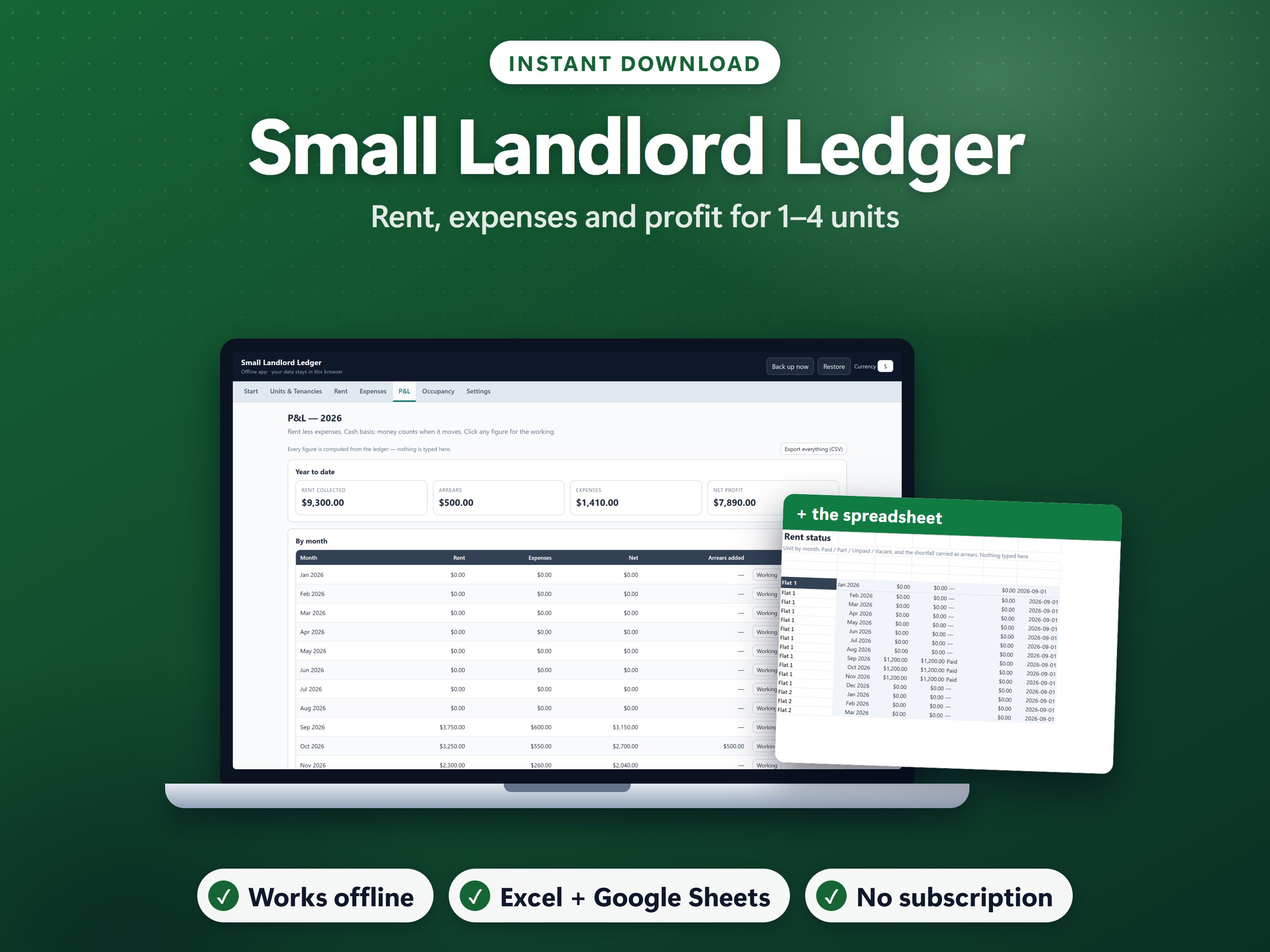
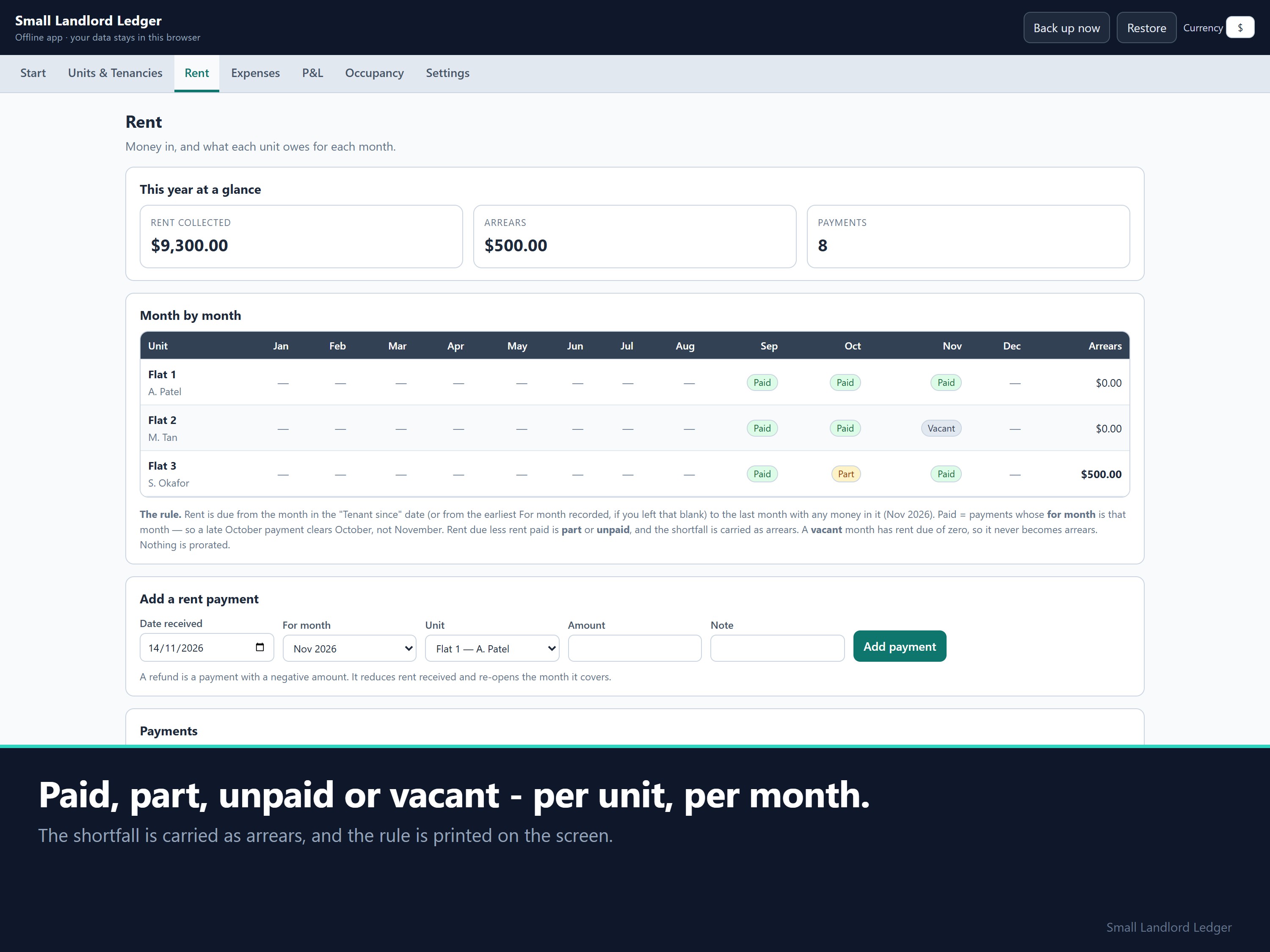
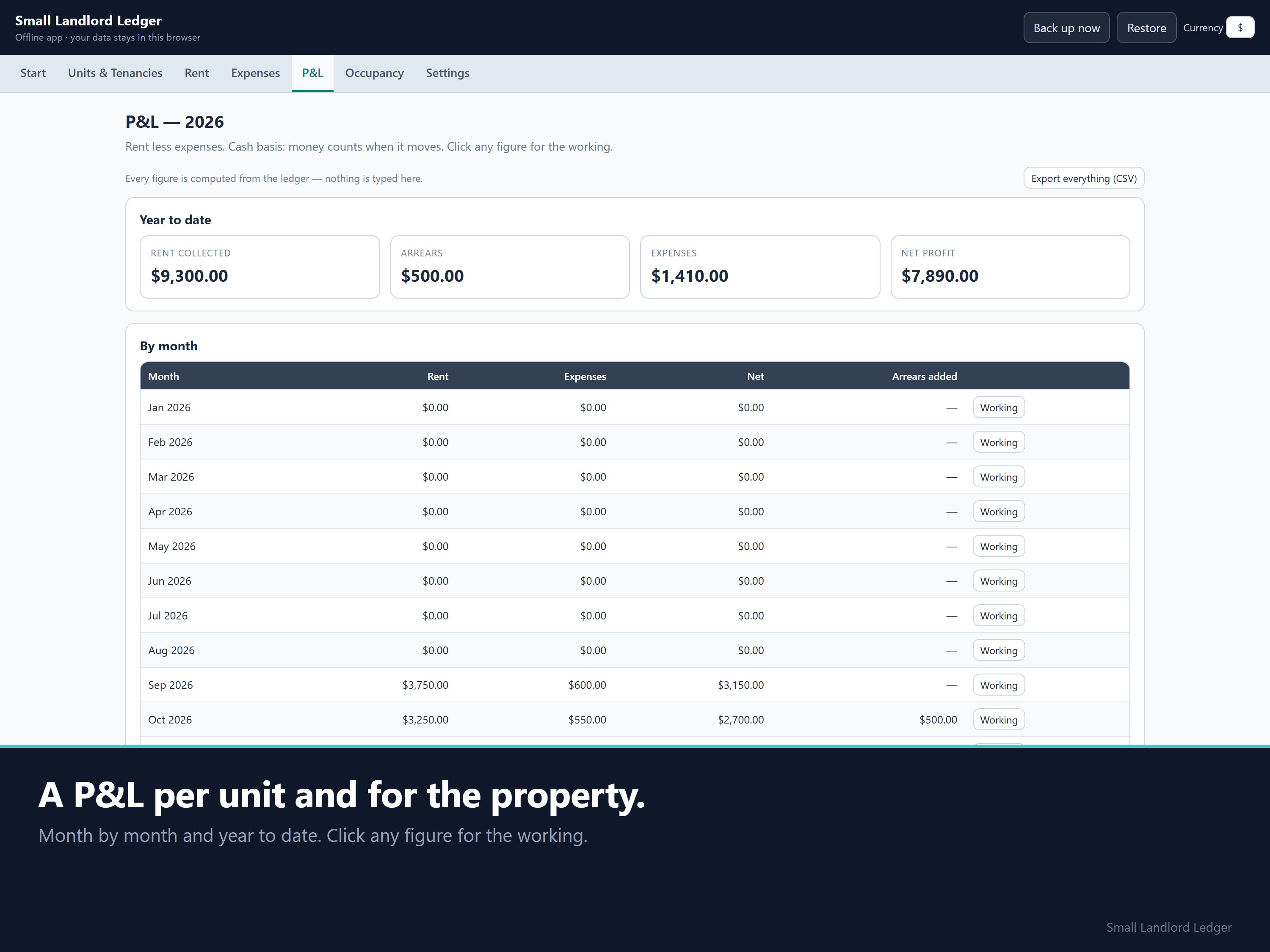
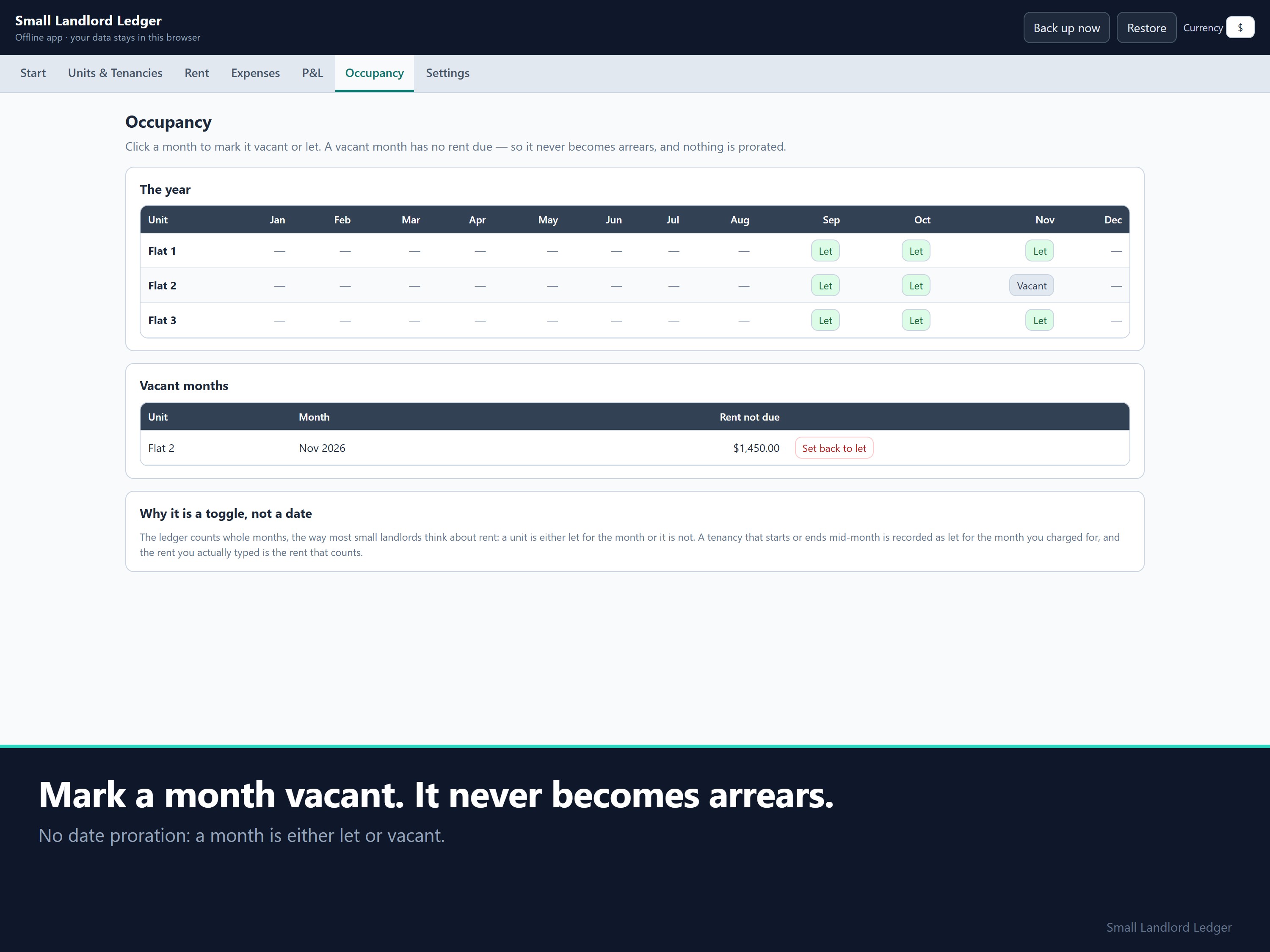
Before: a rent notebook and a bank statement that don't agree. After: a month-by-month grid showing Paid, Part, Unpaid or Vacant, with arrears carried forward, and a P&L for each unit and the whole property.
Where this method comes from
- Cash basis, like most landlords. Most individual landlords use the cash method: rent counts in the year you actually receive it (IRS Publication 527, Residential Rental Property). Rental profit is rent received minus rental expenses, the same shape as Pub 527's worked examples.
- Simple, single-entry books. The IRS calls single-entry the simplest system to maintain; it records the flow of income and expenses (IRS Publication 583).
- The arrears rule, stated plainly. Rent is due from the month the tenancy starts to the last month with any money in it. Rent due minus rent paid is the shortfall, and it carries forward as arrears. A vacant month has no rent due. The rule is printed in the app and worked through in the workbook.
Log a payment and the arrears work themselves out
Every unit's status grid, the arrears and the per-unit P&L update the moment you log a payment or a repair. A late October payment clears October, not November.
Worked example (check it by hand)
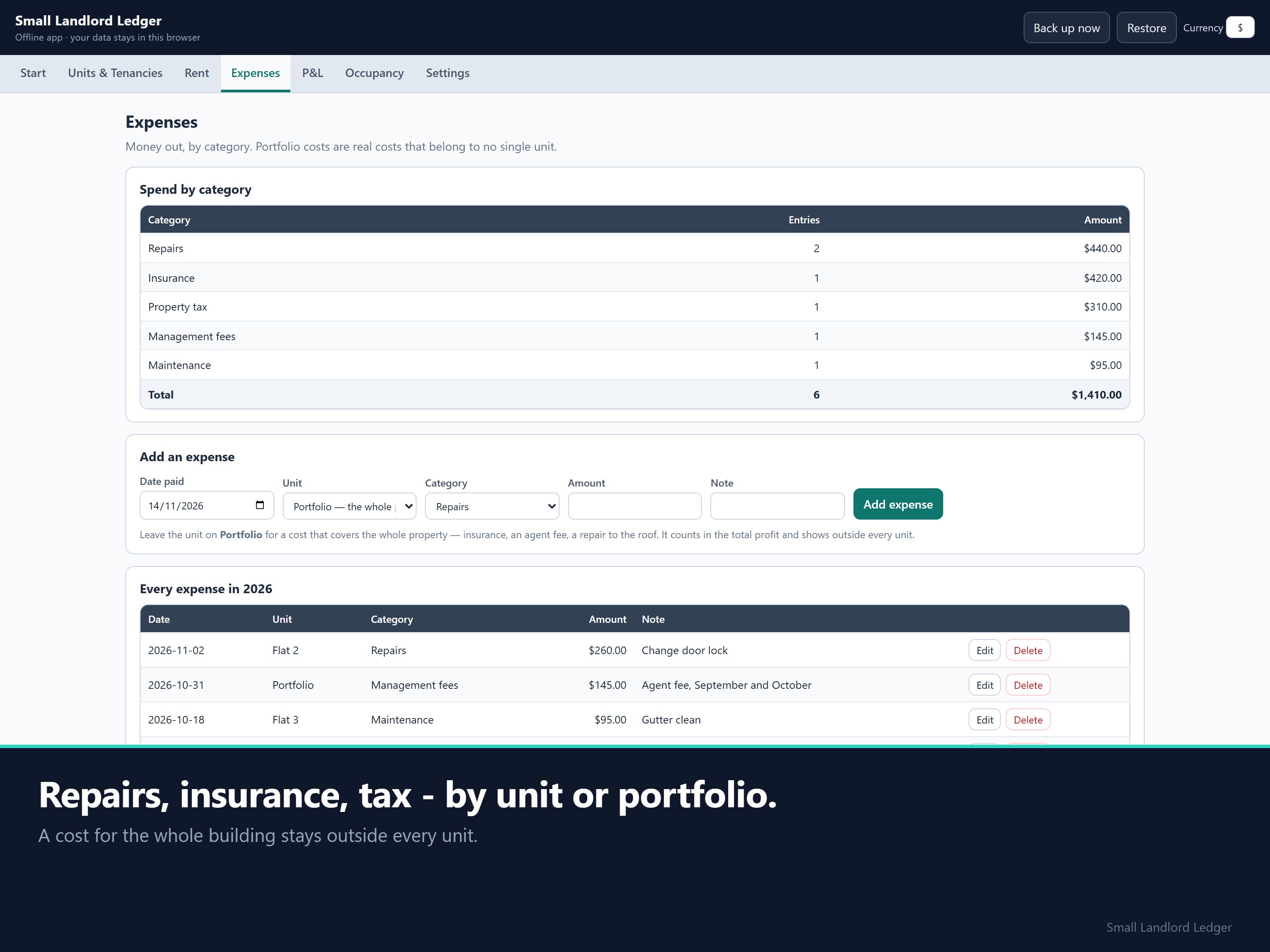
The sample holds three units over three months: on-time rent, one late part-payment, one vacant month, repairs, insurance and property tax.
- Rent received: 9,300.00. Expenses: 1,410.00. Profit for the period: 7,890.00.
- Flat 3 is carrying 500.00 of arrears after its part-payment. The grid shows that month as Part.
Setup
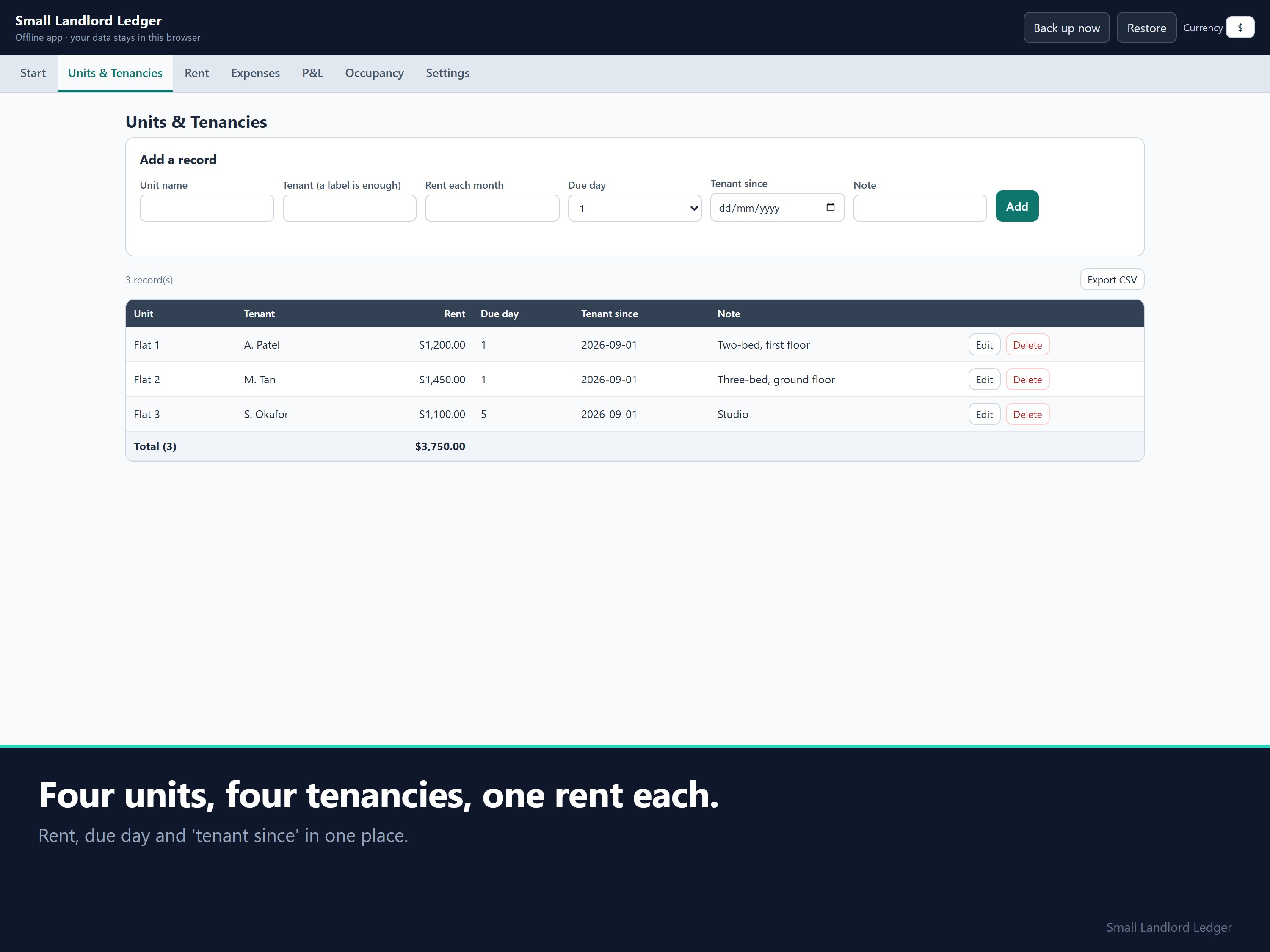
Unzip, open the .html file, look at the sample, clear it, then add your units and tenancies.
FAQ
- More than four units? No. Four is the limit, and a fifth is refused with a message rather than quietly breaking the totals.
- Mid-month tenancies? Whole months only, with no proration. Count from the month you charged for.
- Tax forms? There's no Schedule E mapping, depreciation, mortgage amortisation or tax return.
- Tenant details? They stay in your own browser. The app blocks every network request. "Back up now" downloads a dated file you can restore anywhere.
- Currency? The symbol is a label you choose. Nothing is converted.
Disclaimer: This isn't tax or financial advice. Check your own obligations with a qualified accountant.
How this was made: built with the help of AI tools, to my design. Every formula is tested against independently calculated figures before it ships.
14-day money-back: if it isn't right for you, email support@dokimos.my within 14 days of purchase for a full refund.


Dokimos
Hi, I'm Benjamin, based in Malaysia. I build pricing, profit and bookkeeping spreadsheets for one-person businesses: makers, service providers, landlords and online sellers.
You pay once and own the files. Most products come with an Excel workbook, a Google Sheets copy and an offline app that runs in your browser. Every formula is visible, so you can check any number yourself.
This store is new, so there are no reviews yet. If something doesn't work as described, email me and I'll fix it. I reply within 1 business day (Malaysia time, GMT+8).
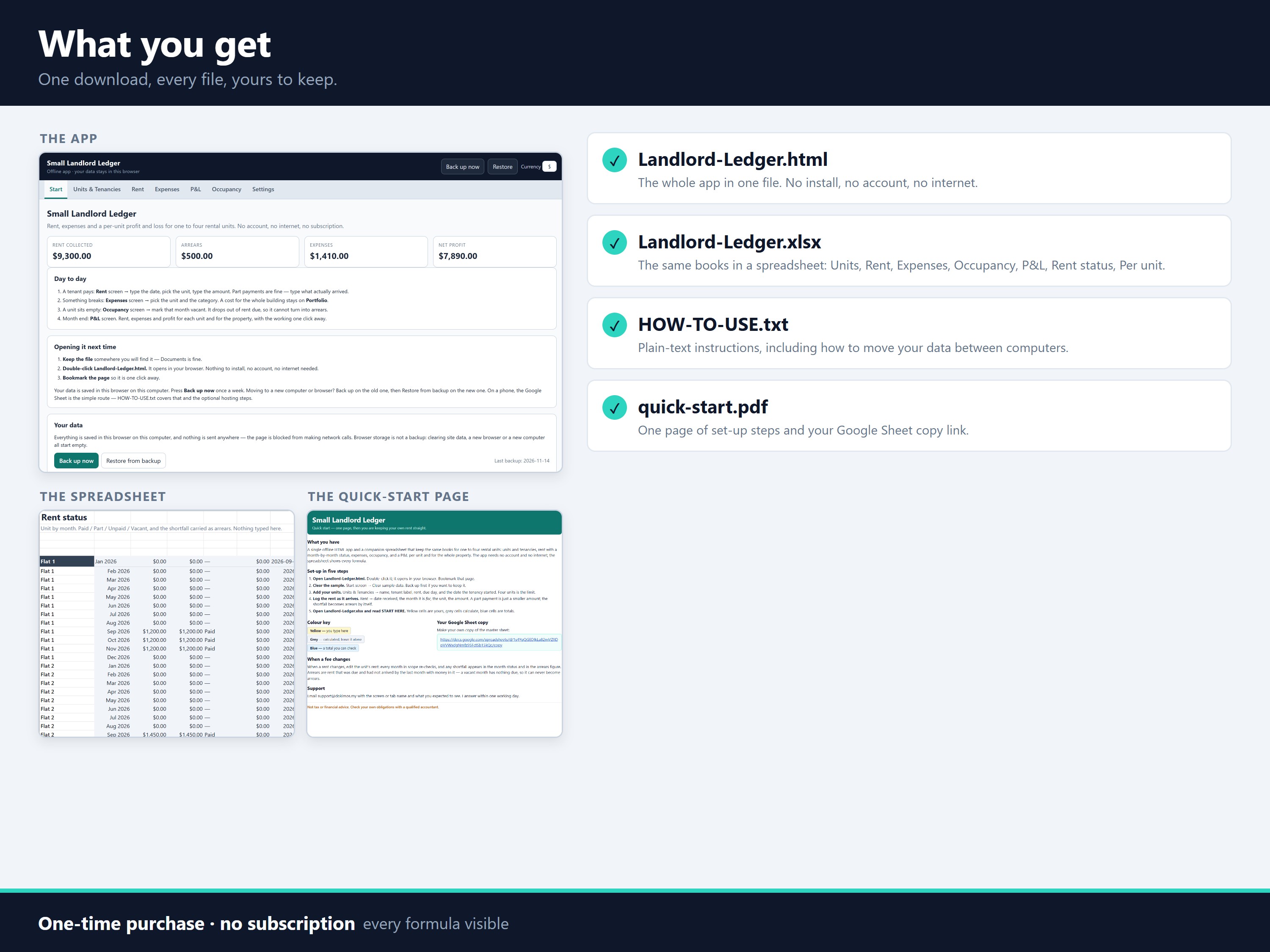
What You'll Get:
- Landlord-Ledger.html: the whole app in one file. No install, no account, no internet needed.
- Landlord-Ledger.xlsx: the companion workbook for Excel. It has START HERE, Units, Rent, Expenses, Occupancy, P&L, Rent status, Per unit and Categories tabs, with formulas visible and validation on every input.
- HOW-TO-USE.txt: plain-text instructions, including how to move your data between computers.
- quick-start.pdf: a one-page setup guide with the link to your own copy of the Google Sheet.
All four come in one zip file (Landlord-Ledger.zip, 110 KB).
- 1 Files
-
Landlord-Ledger.zip
113.1 kB