Self-Employed Expense Tracker for Schedule C, 2026 (Excel + offline app)
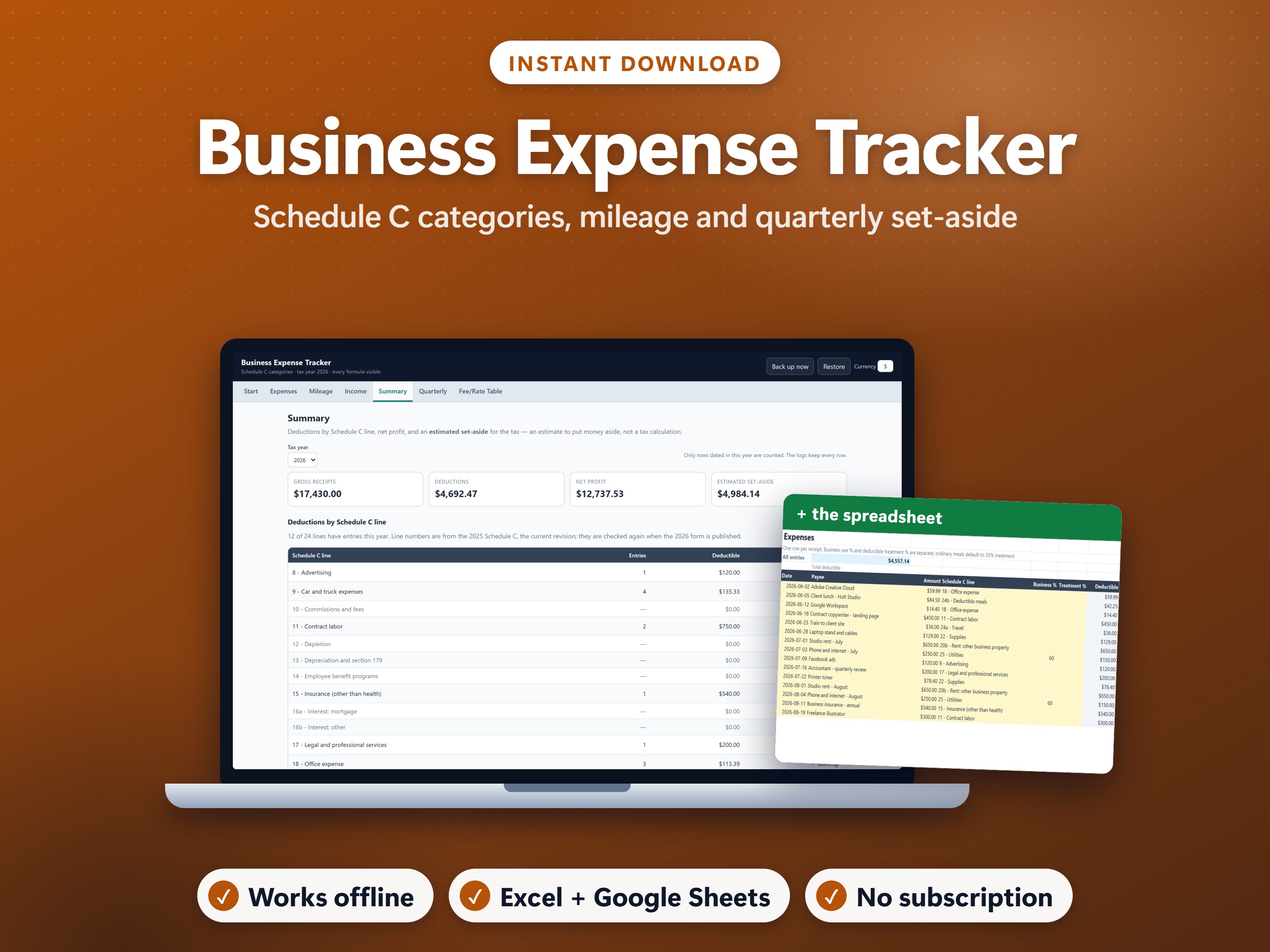
You're self-employed in the US. Receipts pile up, you're never sure which Schedule C line a cost belongs on, the mileage rate changed mid-year, and the quarterly payment dates arrive before you know what to put aside.
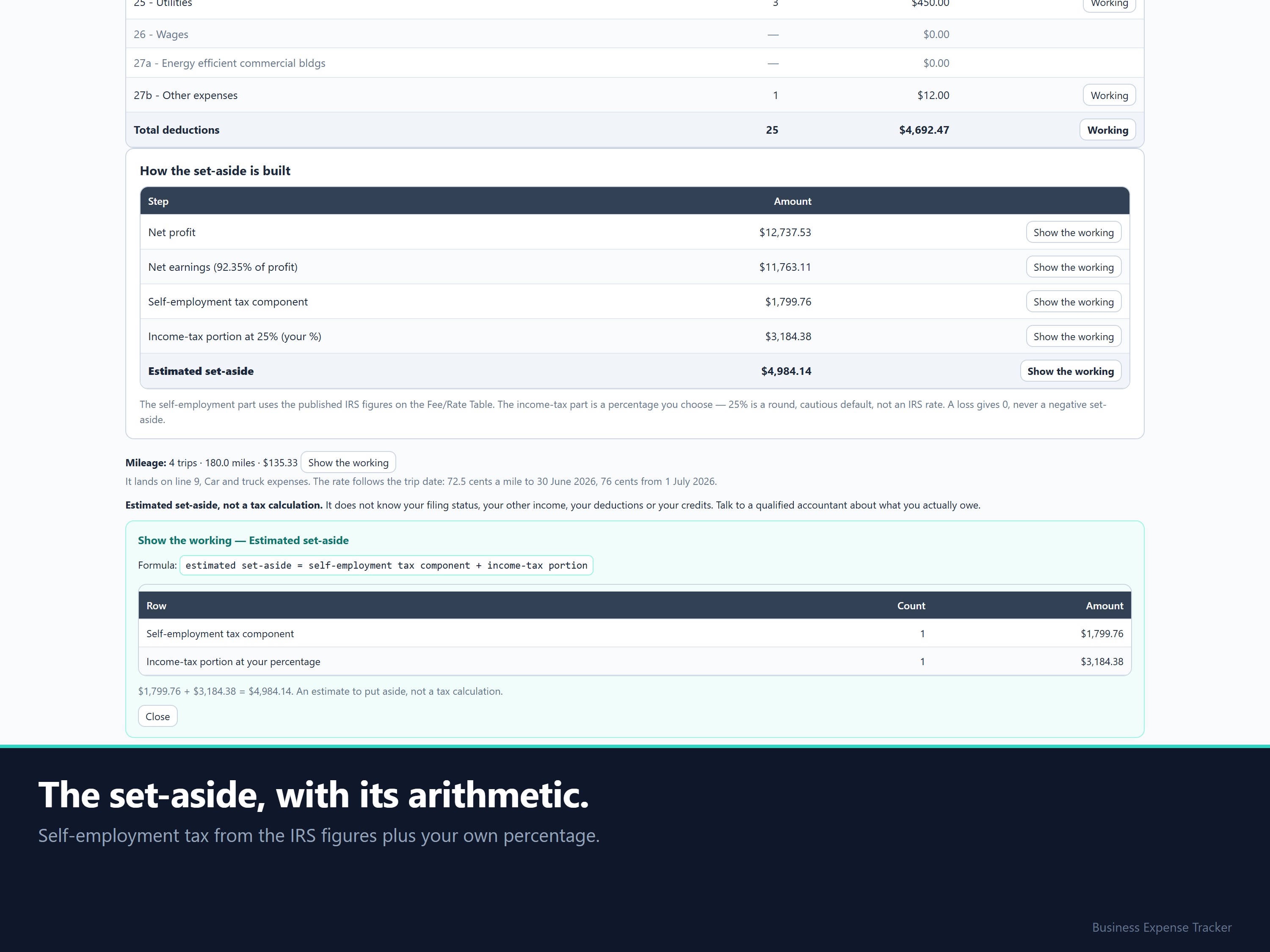
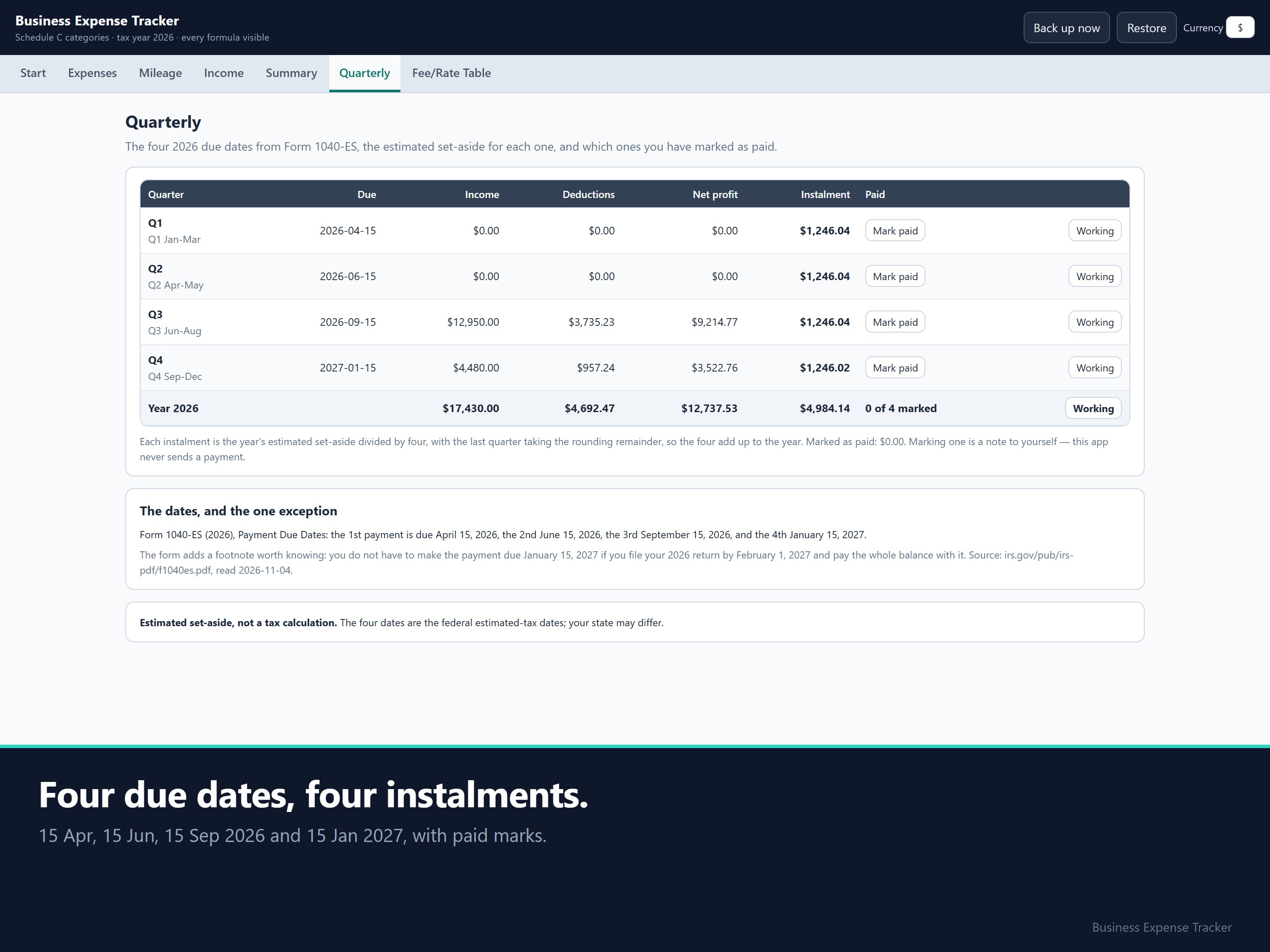
Before: a year-end scramble and a guessed tax payment. After: each expense on its Schedule C line as you go, mileage priced by the trip date, and an estimated set-aside for each of the four 2026 due dates.
Where this method comes from
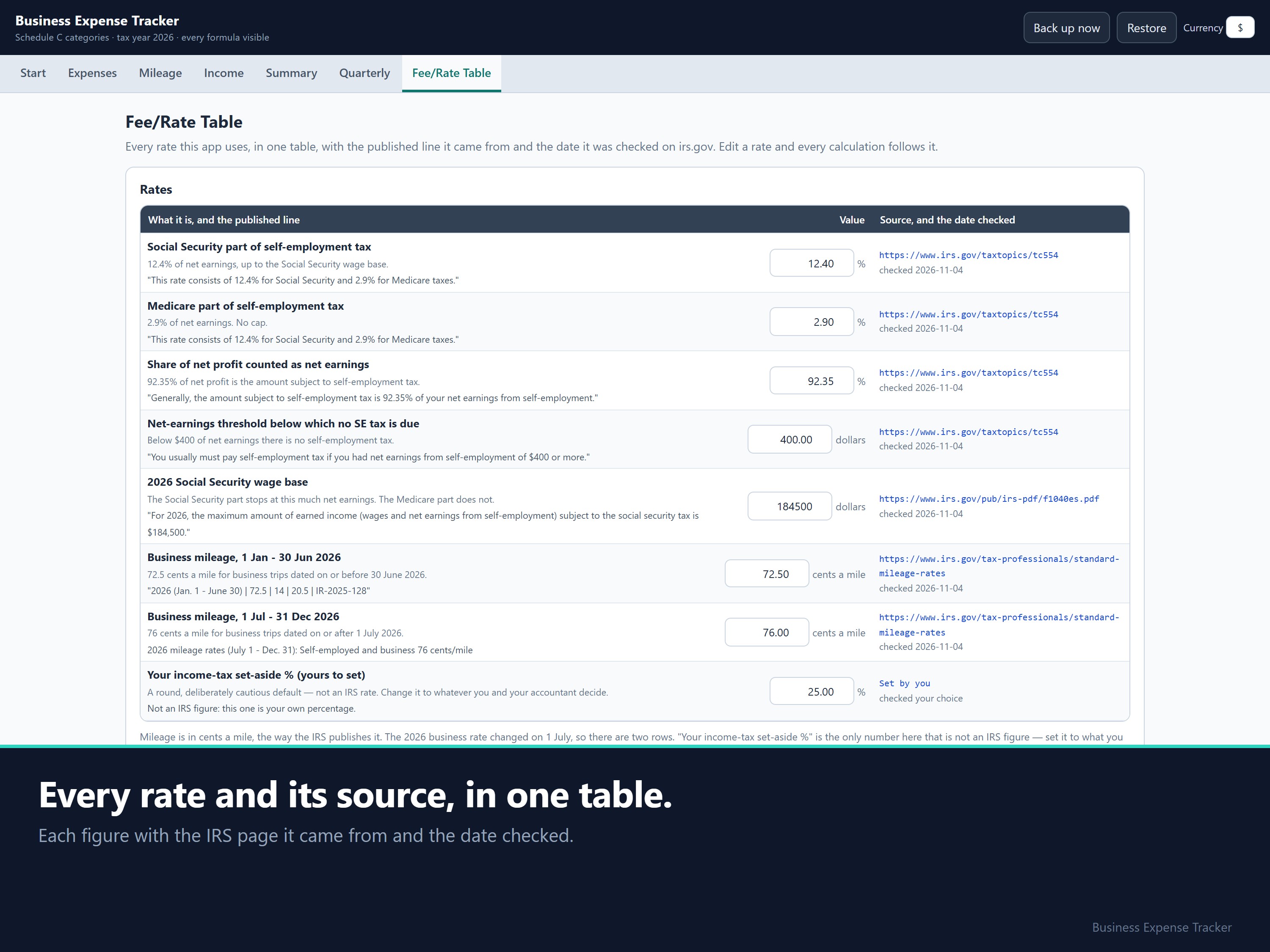
Every figure comes from the IRS, and each one is stored in the file with the page it came from and the date it was checked.
- Self-employment tax: 92.35% of net earnings is subject to it, at 12.4% (Social Security) plus 2.9% (Medicare), and nothing is due under $400 of net earnings (IRS Tax Topic 554).
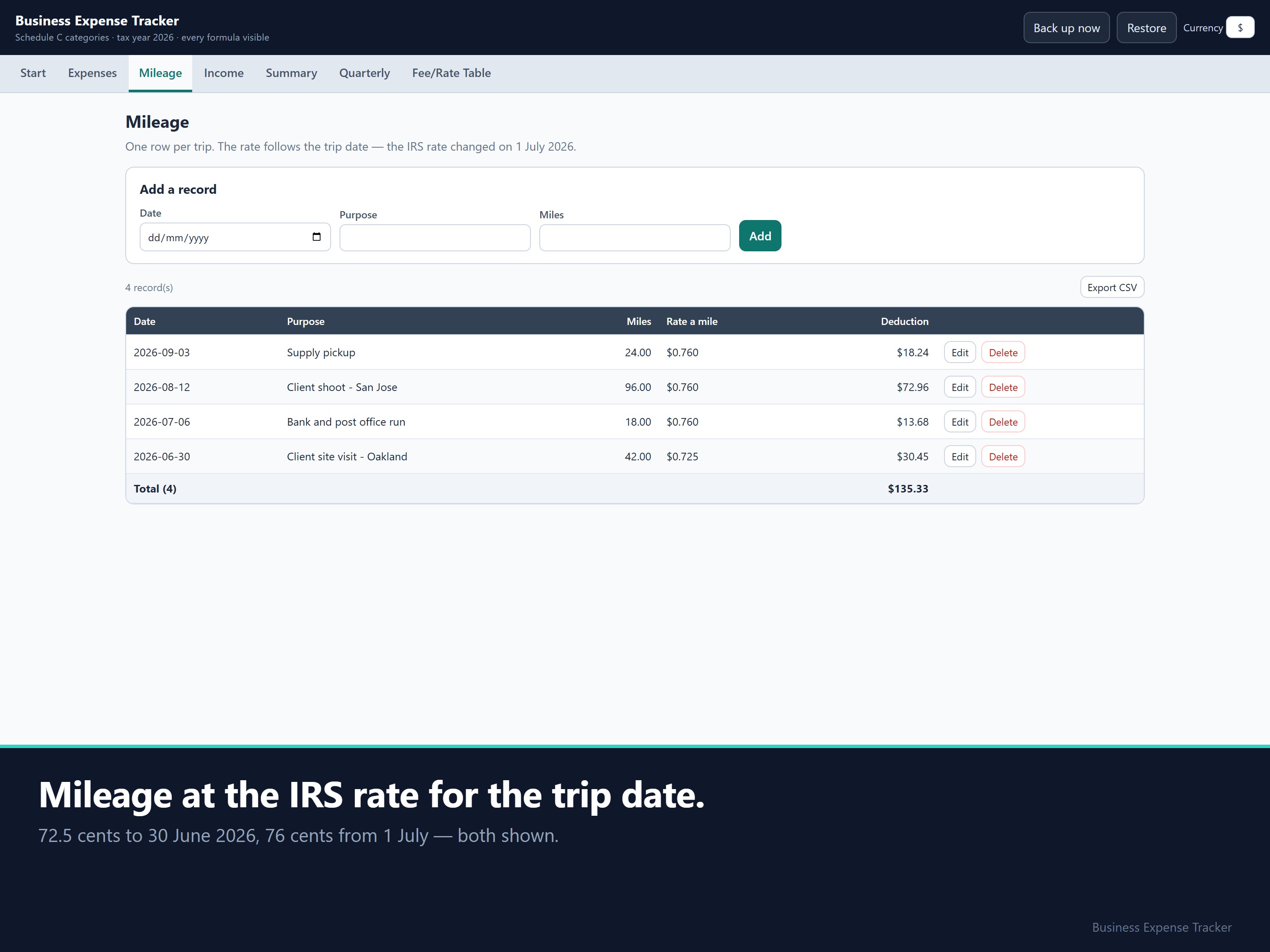
- Mileage: 72.5 cents a mile from 1 January to 30 June 2026, and 76 cents from 1 July (IRS standard mileage rates, IR-2026-29).
- Due dates and wage base: 15 April, 15 June and 15 September 2026, and 15 January 2027; Social Security wage base $184,500 (Form 1040-ES, 2026).
- Expense lines: all 24, lines 8 to 27b plus Part V, from the 2025 Schedule C, which is the current revision on irs.gov.
Choose the line from a list, and the tracker does the rest
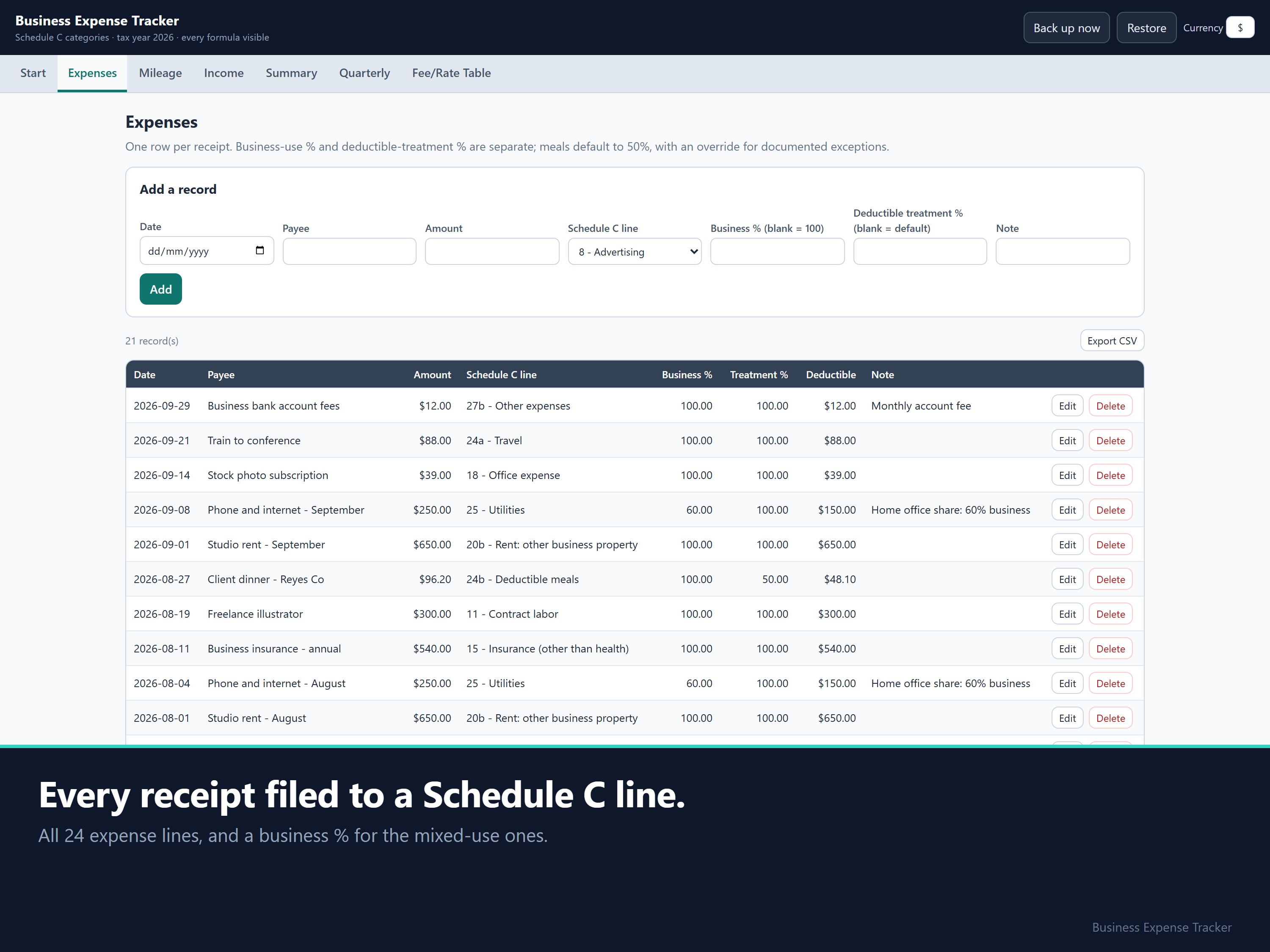
Pick the Schedule C line from a drop-down of all 24 expense lines. The mileage rate is picked from the trip date, so you never look it up. The set-aside is worked out for each quarterly date.
Worked example (check it by hand)
These are illustration figures, not the sample.
- Net profit 10,000.00: × 92.35% = 9,235.00 subject to SE tax, × 15.3% (12.4% + 2.9%) = 1,412.96 self-employment tax. Then add the income-tax percentage you choose. The app prints each step in words.
- Mileage: 100 miles on 1 March = 72.50. The same 100 miles on 1 August = 76.00.
- In the sample: change an expense from Supplies to Office expense. The money moves from one Schedule C line to the other, and the total doesn't change.
Setup
Unzip, open the .html file, look at the four-month freelancer sample, clear it, then add your first expense.
FAQ
- Is this my tax bill? No. It's an estimated set-aside. It doesn't know your filing status, other income, deductions or credits. The income-tax part is a percentage you choose; 25% is a round default, not an IRS rate.
- Part business, part personal? Type the business-use percentage, e.g. 60. Ordinary business meals default to 50%.
- What's not included? Invoices, payroll, a depreciation schedule, cost of goods sold, the home-office worksheet and actual-cost vehicle accounting.
- 2027? When the 2026 Schedule C is published, the line numbers are checked against it, and buyers of this edition get the 2027 version free.
Disclaimer: This is a recordkeeping estimate, not a tax determination, and it isn't tax or financial advice. Check your obligations with a qualified tax professional.
How this was made: built with the help of AI tools, to my design. Every formula is tested against independently calculated figures before it ships.
14-day money-back: if it isn't right for you, email support@dokimos.my within 14 days of purchase for a full refund.


Dokimos
Hi, I'm Benjamin, based in Malaysia. I build pricing, profit and bookkeeping spreadsheets for one-person businesses: makers, service providers, landlords and online sellers.
You pay once and own the files. Most products come with an Excel workbook, a Google Sheets copy and an offline app that runs in your browser. Every formula is visible, so you can check any number yourself.
This store is new, so there are no reviews yet. If something doesn't work as described, email me and I'll fix it. I reply within 1 business day (Malaysia time, GMT+8).
What You'll Get:
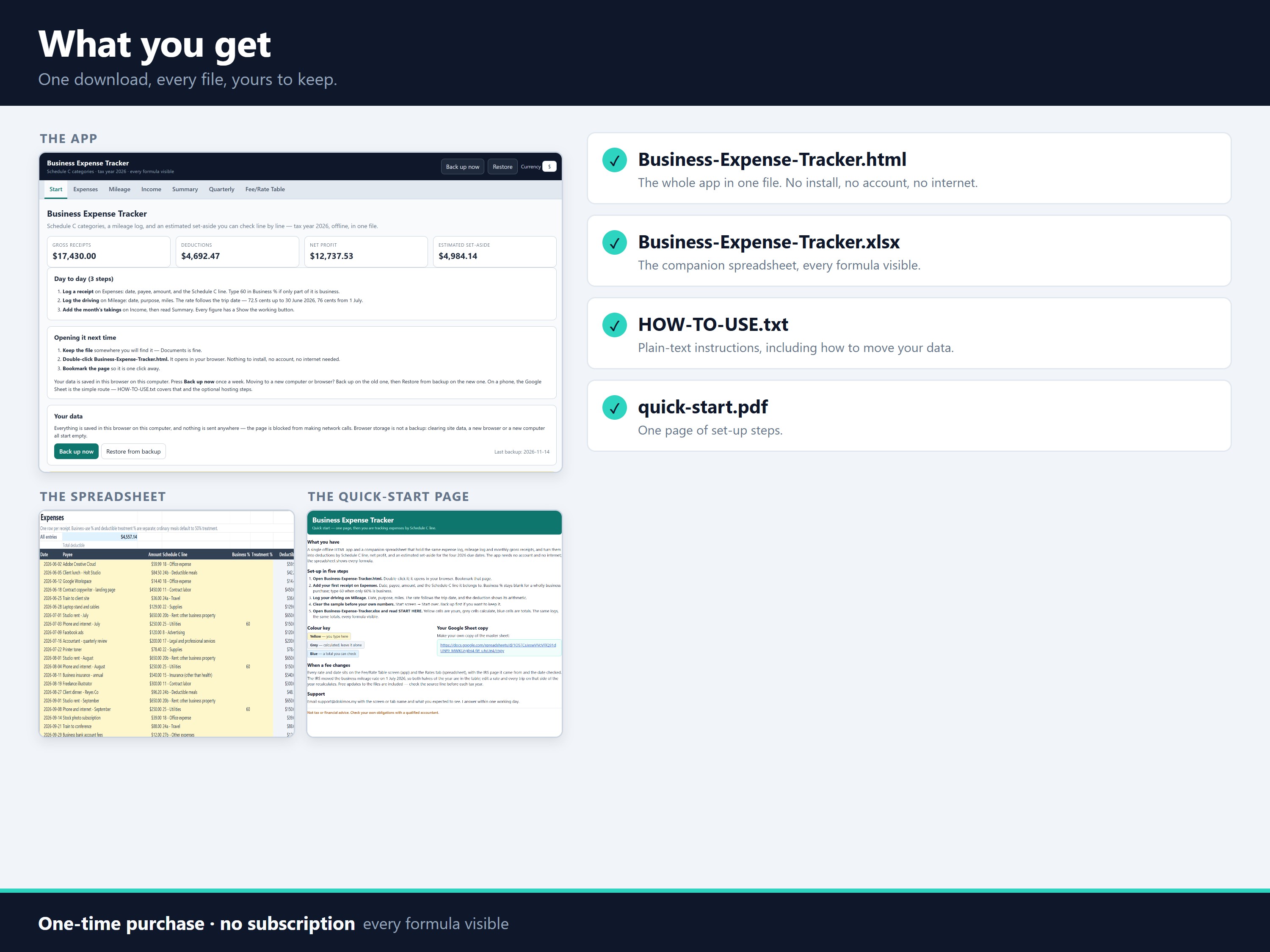
- Business-Expense-Tracker.html: the whole app in one file. No install, no account, no internet needed.
- Business-Expense-Tracker.xlsx: the companion workbook for Excel. It has START HERE, Expenses, Mileage, Income, Summary, Quarterly and Rates tabs, with formulas visible, a Schedule C drop-down and input validation.
- HOW-TO-USE.txt: plain-text instructions, including how to move entries between the app and the workbook.
- quick-start.pdf: one page of setup steps.
All four come in one zip file (self-employed-expense.zip, 108 KB).
- 1 Files
-
self-employed-expense.zip
110.6 kB