One-Page Profit & Loss Statement (Excel + offline app)
You know what came in this month. You're less sure what you kept. Your bank balance mixes in last month's bills and the stock you haven't sold yet. So when someone asks whether the business made money in September, the honest answer is "I think so."
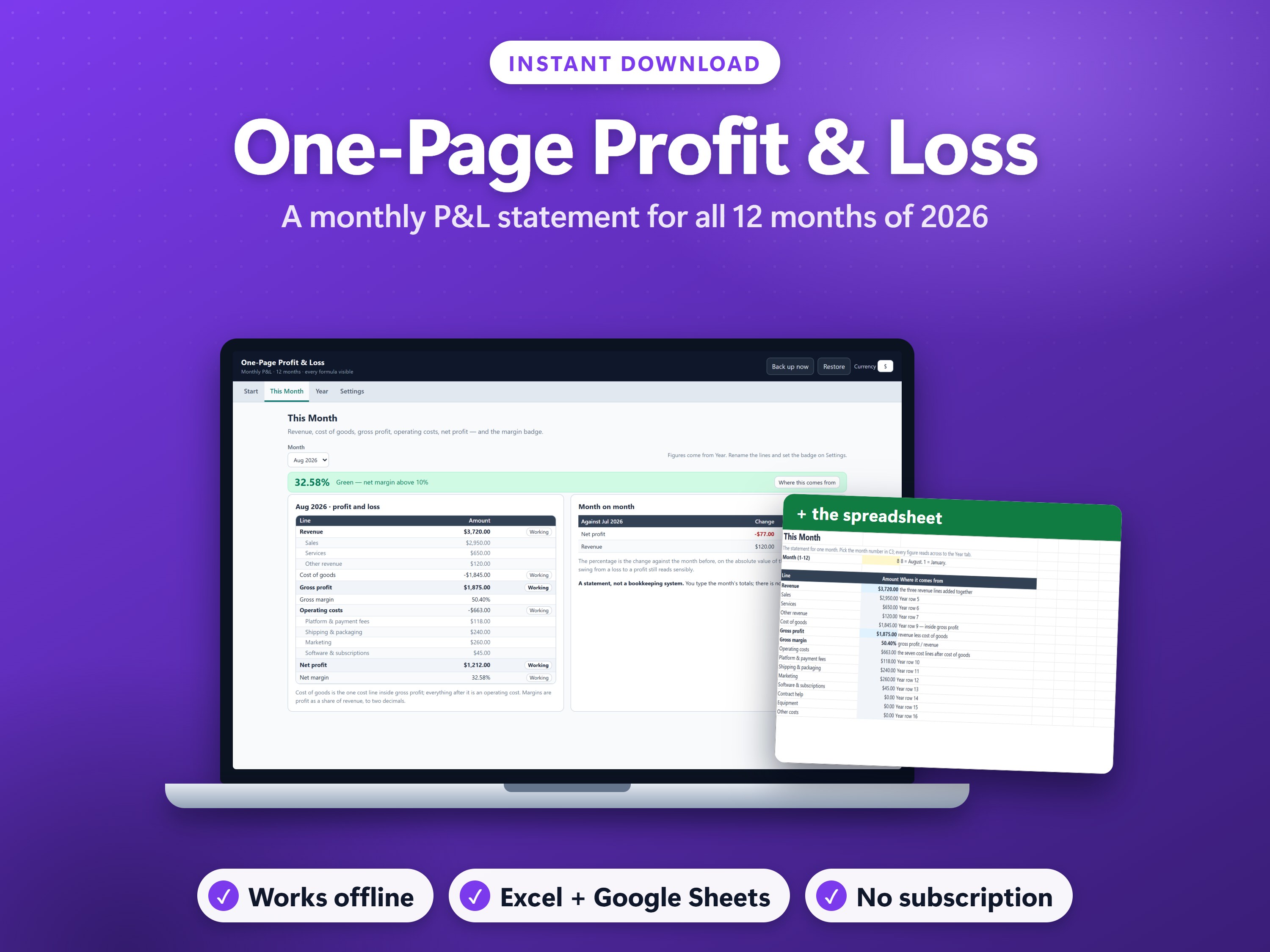
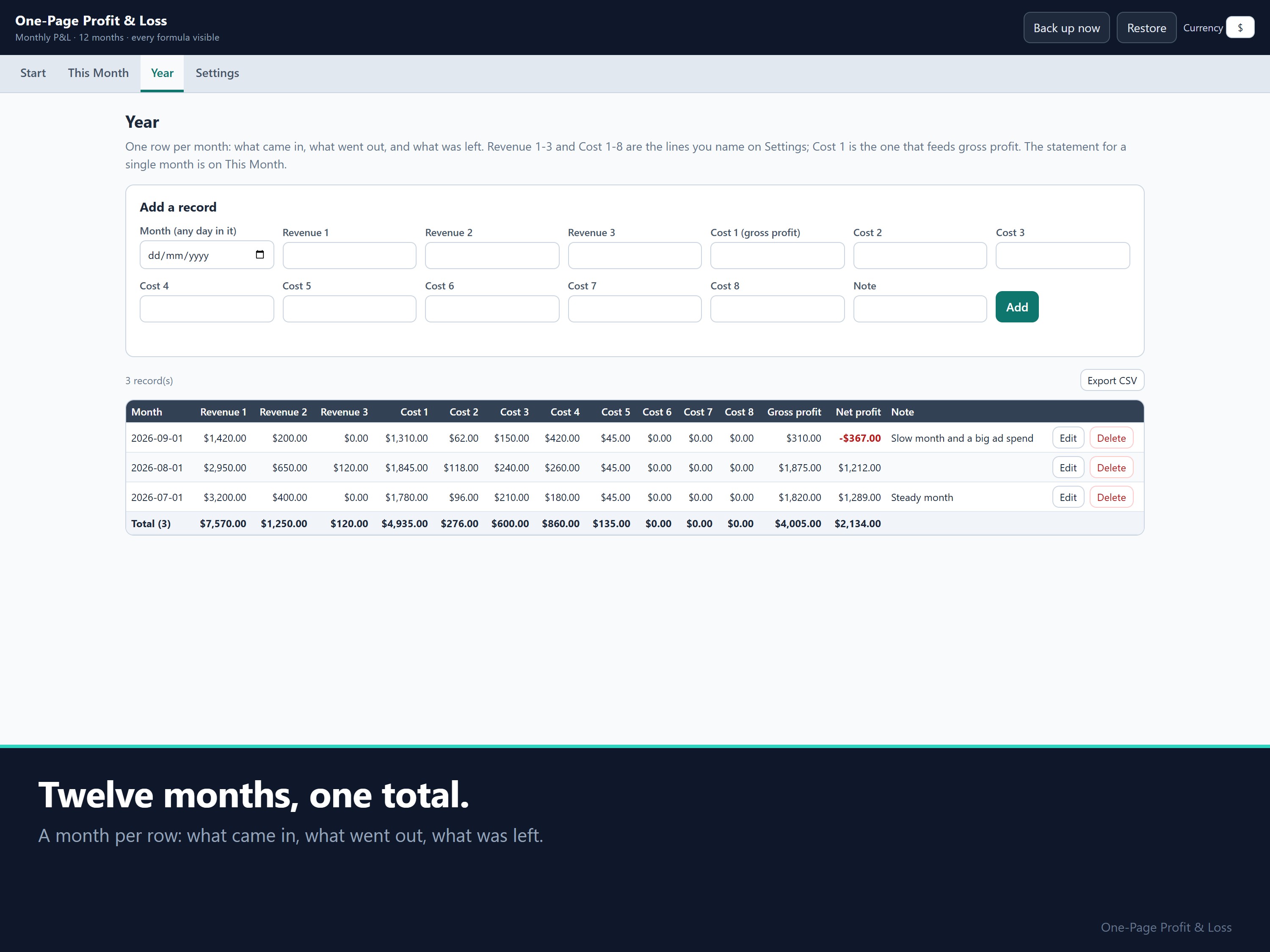
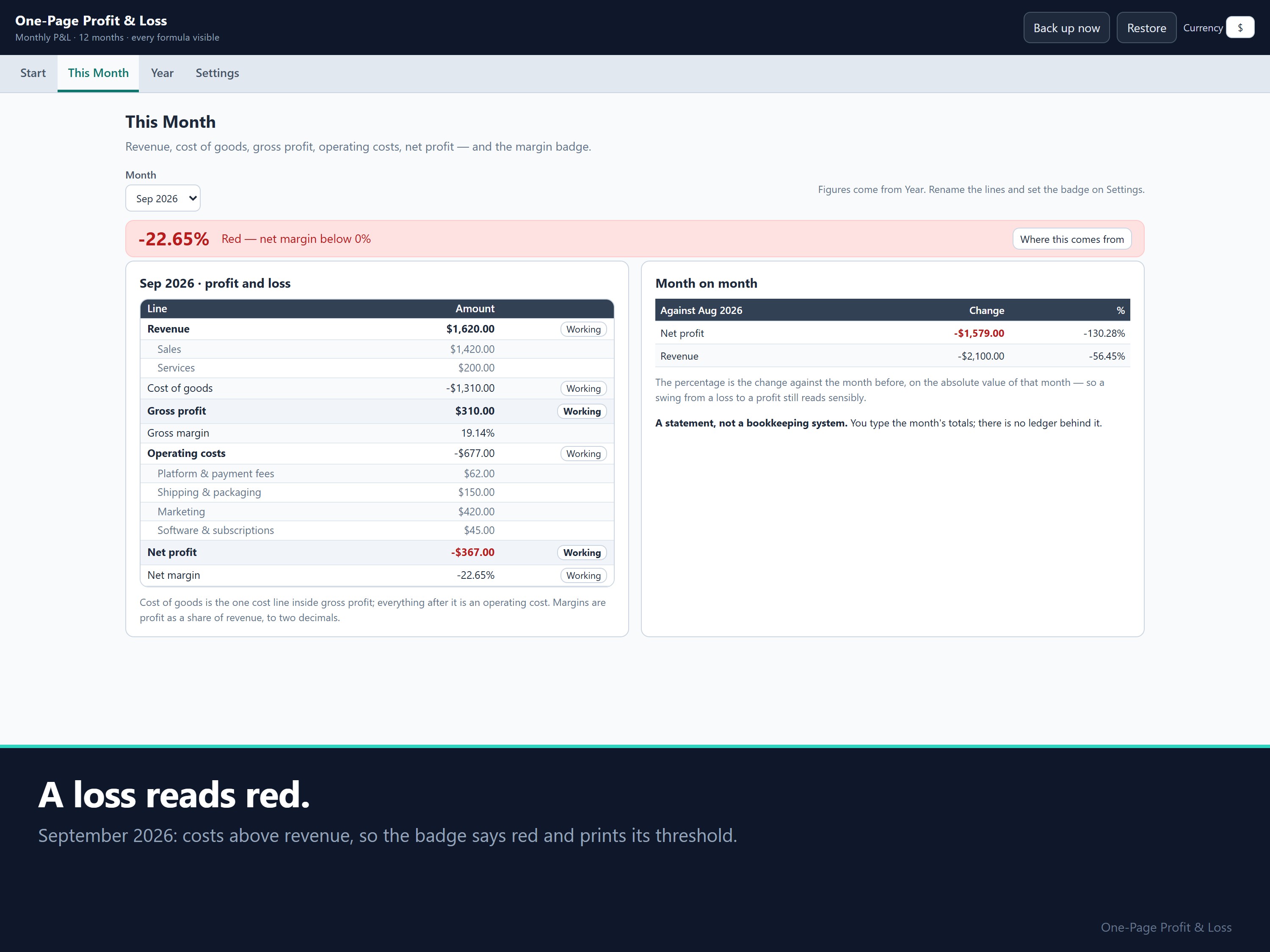
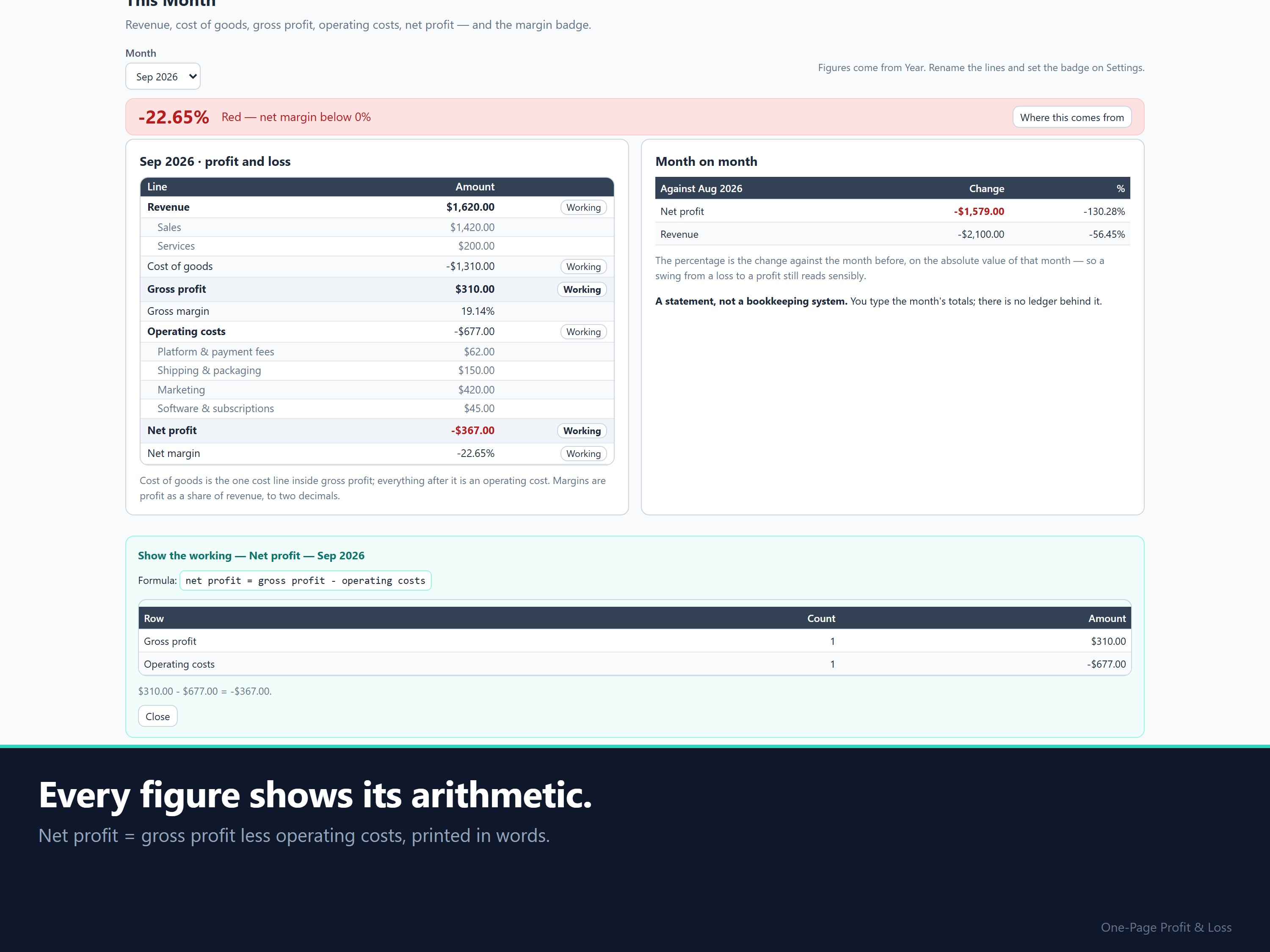
This is a profit and loss statement that builds itself. Type a month's totals: up to three revenue lines and up to eight cost lines. It prints your revenue, cost of goods, gross profit, operating costs, net profit and both margins, plus a colour badge that reads the net margin for you.
Before: a guess from the bank balance. After: one number for the month, net profit, and the margin behind it.
Where this method comes from
The statement follows the standard small-business income statement. It is not a method I invented.
- Gross profit comes first. Net receipts minus cost of goods sold is your gross profit. Business expenses are deducted after that. This is the order in IRS Publication 334, Tax Guide for Small Business, chapter 7.
- Then net profit. Income minus cost of sales gives gross margin. Gross margin minus operating expenses gives net profit. This is SCORE's income-statement formula (SCORE is the SBA's mentoring partner).
- Margins. Gross margin is gross profit divided by net sales, which is the share of each sales dollar left to cover operating costs and profit. This is the SBA's definition in its Glossary of Business Financial Terms.
Your month's P&L from 11 numbers or fewer
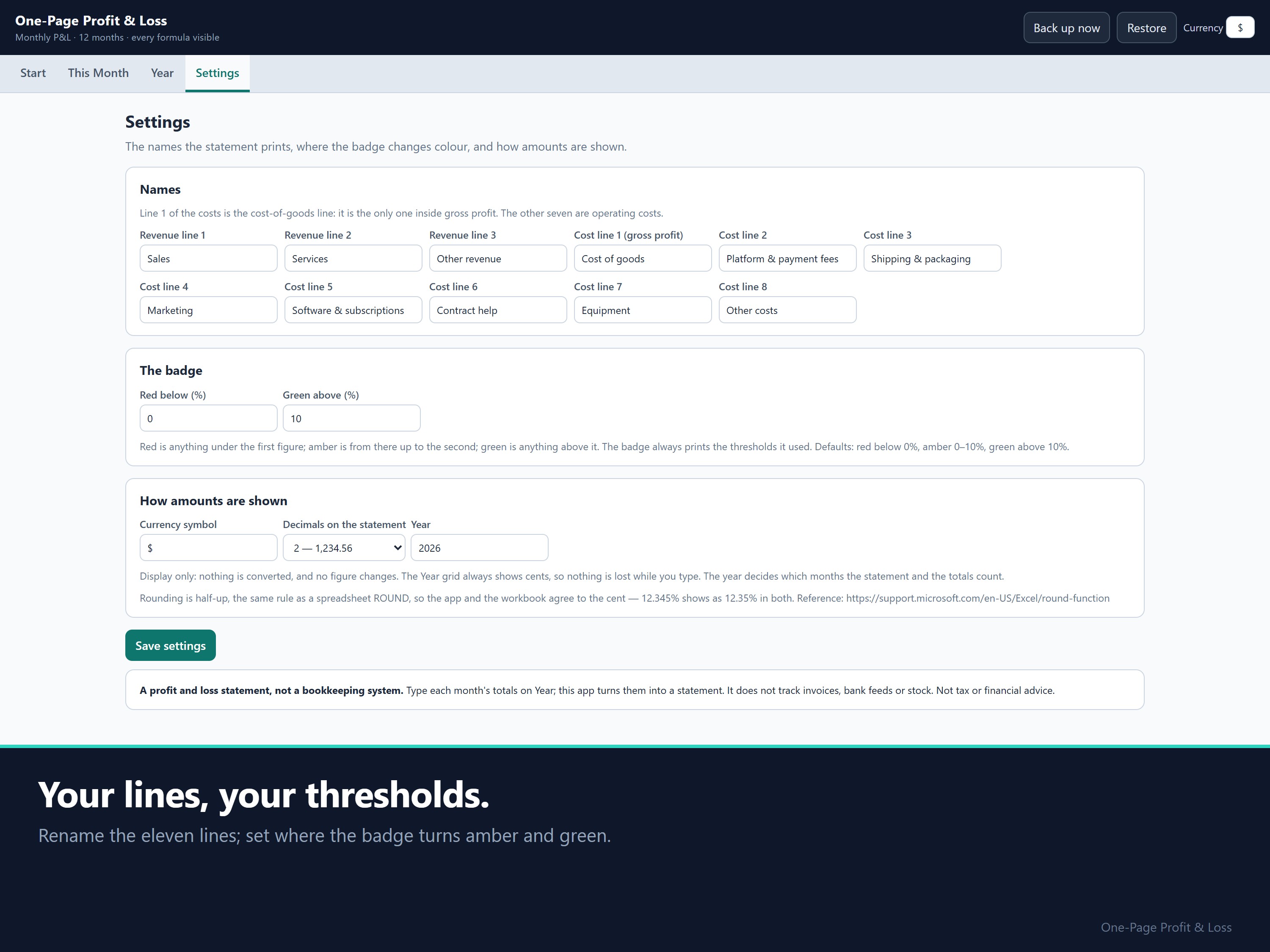
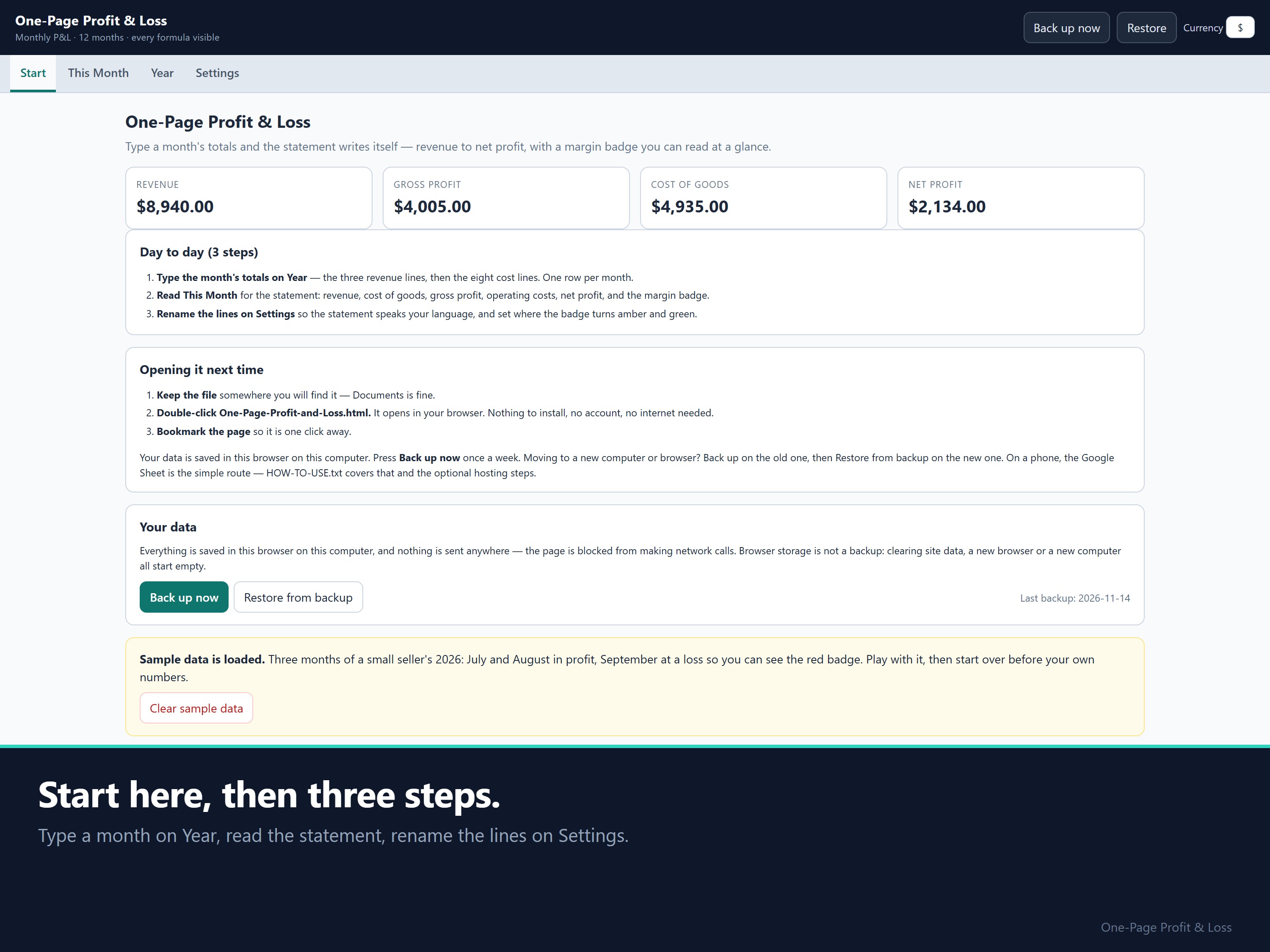
There's no chart of accounts to set up and no receipt list to fill in. You type up to 11 totals and the statement, margins and badge appear. Name the lines in your own words once, in Settings.
Worked example (check it by hand)
The sample holds three months of a small seller's 2026, July to September.
- September: revenue 1,620.00, costs 1,987.00, net profit −367.00. The badge turns red and says why.
- August: move 200.00 from Cost of goods to an operating line. Gross profit rises by 200.00 and net profit doesn't change. A cost only changes gross profit when it sits inside cost of goods, which is the IRS order above.
Setup
Unzip, open the .html file, look at the sample, click the button that clears it, then type your first month.
FAQ
- Is this bookkeeping software? No. There's no ledger, no invoice list, no bank import and no stock count. You type the month's totals.
- Refunds from your customers? Enter a month with a refund as lower revenue. Amounts are positive.
- Other currencies? The app can show another symbol and 0 or 2 decimals. Nothing is converted. The workbook is formatted in US dollars.
- Where is my data? In your own browser. The app blocks every network request. "Back up now" downloads a dated file you can restore on another computer.
- Updates? This is the 2026 edition. When a new edition comes out, buyers of this one get it free.
Disclaimer: The badge is a reading aid, not a target and not advice. This isn't tax or financial advice. Check your own obligations with a qualified accountant.
How this was made: built with the help of AI tools, to my design. Every formula is tested against independently calculated figures before it ships.
14-day money-back: if it isn't right for you, email support@dokimos.my within 14 days of purchase for a full refund.


Dokimos
Hi, I'm Benjamin, based in Malaysia. I build pricing, profit and bookkeeping spreadsheets for one-person businesses: makers, service providers, landlords and online sellers.
You pay once and own the files. Most products come with an Excel workbook, a Google Sheets copy and an offline app that runs in your browser. Every formula is visible, so you can check any number yourself.
This store is new, so there are no reviews yet. If something doesn't work as described, email me and I'll fix it. I reply within 1 business day (Malaysia time, GMT+8).
What You'll Get:
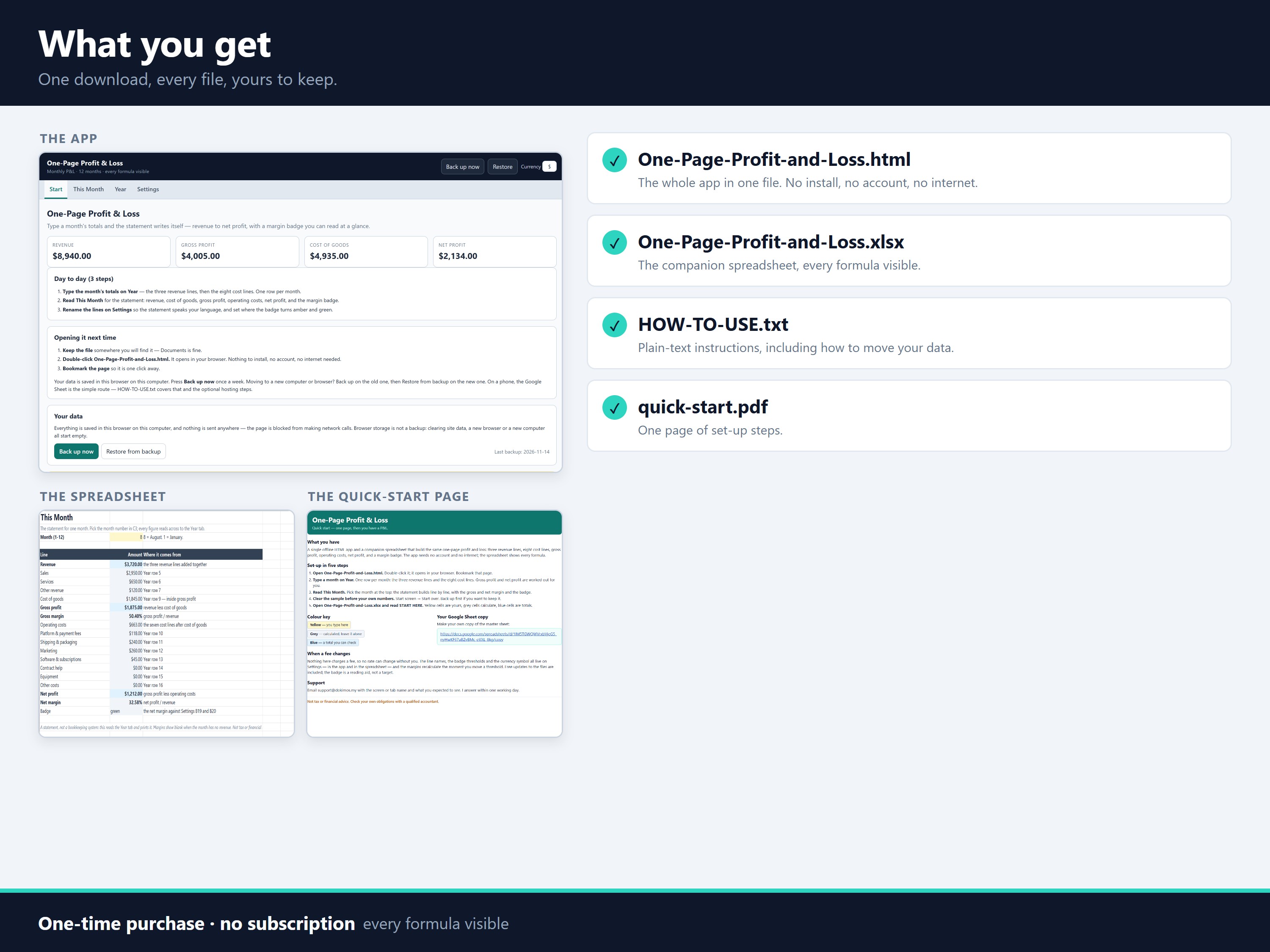
- One-Page-Profit-and-Loss.html: the app in one file. Open it in Chrome, Edge, Firefox or Safari. No install, no account, no internet needed.
- One-Page-Profit-and-Loss.xlsx: the companion workbook for Excel (it also opens in Google Sheets). It has START HERE, This Month, Year and Settings tabs, with every formula visible.
- HOW-TO-USE.txt: plain-text instructions, including how to move months between the app and the workbook.
- quick-start.pdf: one page of setup steps.
All four come in one zip file (pl-one-page.zip, 86 KB).
- 1 Files
-
pl-one-page.zip
87.5 kB